The care plan payment report will allow you to see upcoming care plan payments due and when.
This helps keep track of all payments that need to be collected.
To run the report:
Under Reports
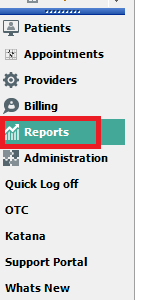
Care Plan Payment
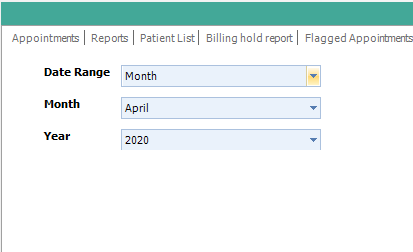
Select your Date Range:
Range of days, day, week or month.
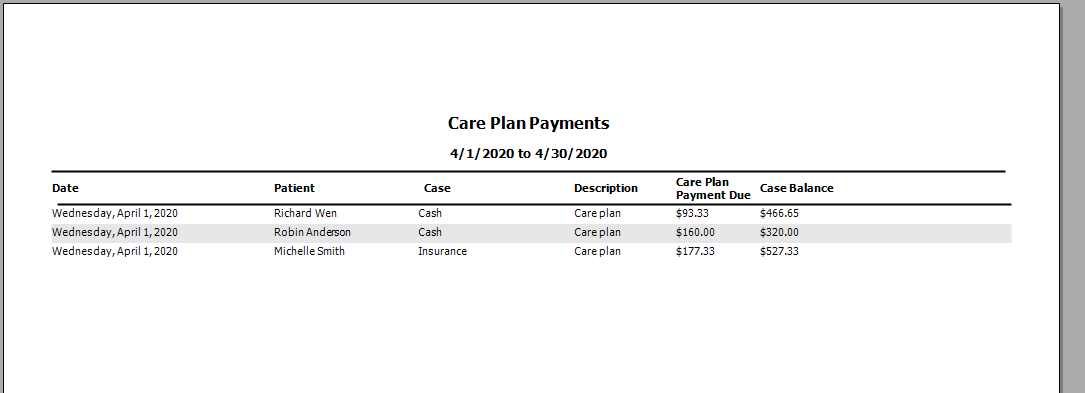
Sample Report:
You will see the date, patient name, case, case description, care plan payment due date and where their case balance is currently.
To Download/Print a Report
All reports will display a tool bar at the top of the page when generated.
You will be able to Print and Export the document. You will see the Red Circle is highlighting the Print button and the Red Arrow is pointing to the Export options. X=Excel, A=Adobe and W=Word.
- Support Information -
If you have any questions or need assistance with this process please contact Support by:
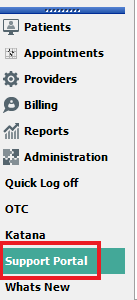
Live chat: Click the 'Support Portal' button in your main toolbar (on left-hand side), click the green 'Support' box in bottom right of screen.***This has the fastest response time***
Phone: 909-378-9514
Email: support@coactionsoft.com
Business hours: Monday-Friday, 8:00am-6:00pm CST
Comments
0 comments
Article is closed for comments.