How to Add Recurring Appointments:
Step 1) Go to the Appointment book
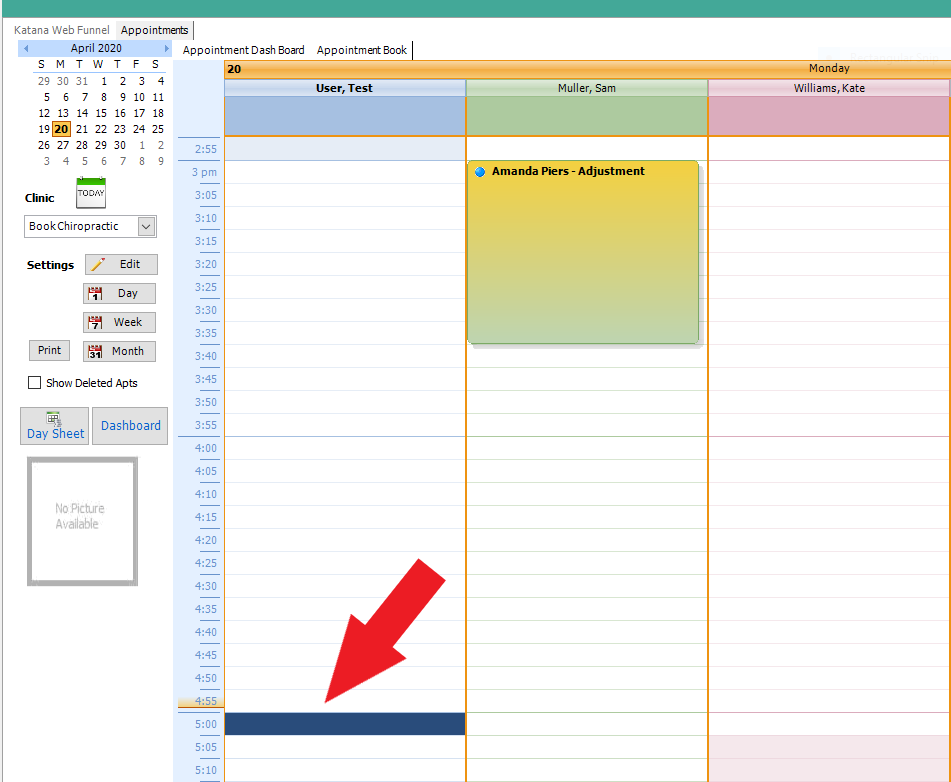
Step 2) Select the time slot the patients appointments will be and double click to open the patient rolodex
You must select an appointment time on the DAY view
Step 3) Select the patient name for the appointment and click "OPEN" (or you can double click on the patient name to open)
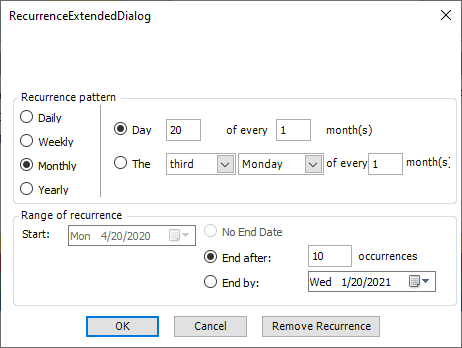
Step 4) Select the Recurrence button

Step 5) Select the appropriate filters and click Save
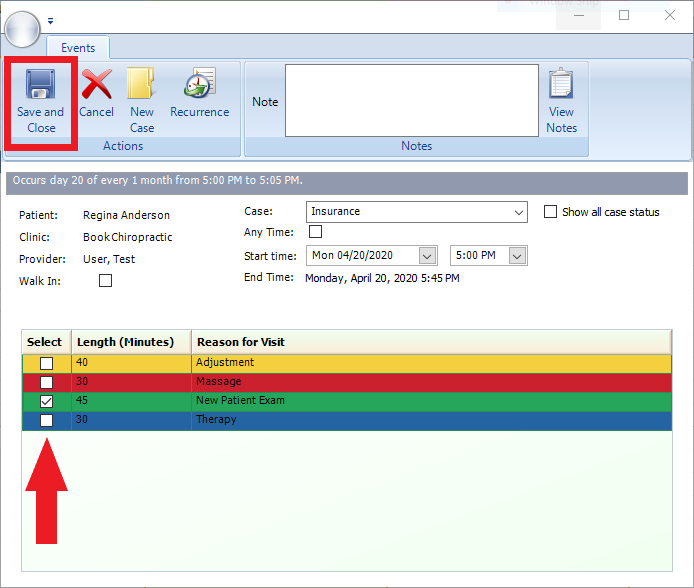
Step 6) Select a Reason of Visit (ROV) for the appt and then Save
HOW TO REMOVE APPOINTMENT RECURRENCE:
There is not an automatic removal of the appointment recurrence.
If you need to remove or reschedule an appointment recurrence
you will have to reschedule one by one or you can delete
all appointments and then go back in and redo the recurrence.
To delete multiple appointments for a patient-go to the patient file
and click on the Appointments tab, you will see all pending appointments
on top, highlight multiple appointments by holding down Control key on your
keyboard and then click delete.
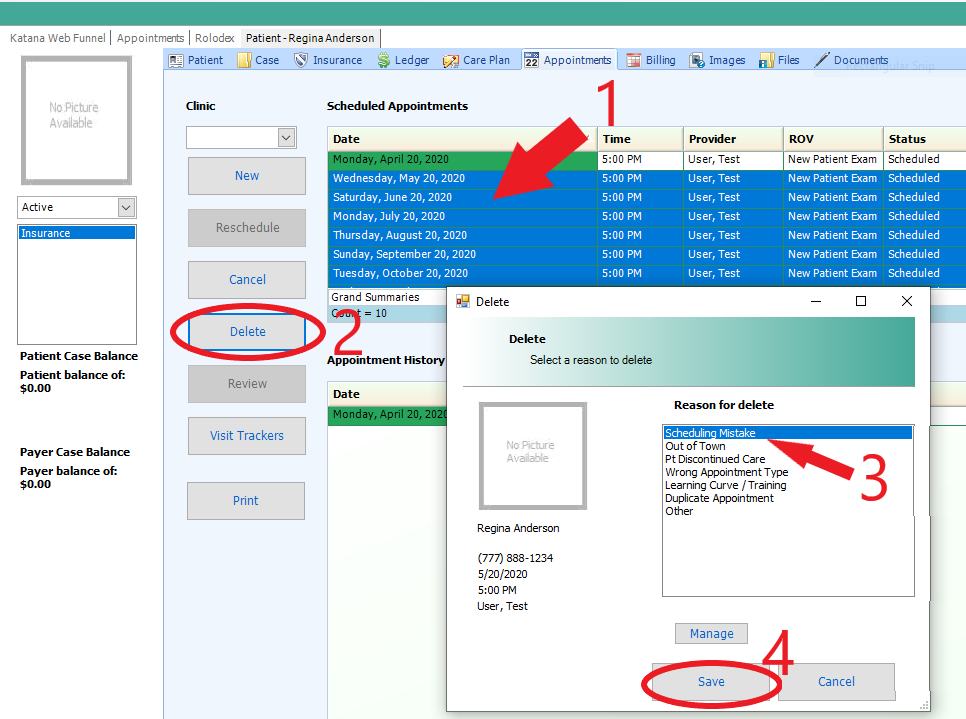
***Note*** Deleting all appointments in this way will result in all of these appointments showing as Deleted in the Appointment History on the Appointments tab in their file. We suggest scheduling recurring appointments only a couple of weeks out. That way if the patient needs to change days/times, the clinic will not have to delete several appointments or reschedule them all manually.
- Katana Support Information -
If you have any questions or need assistance with this process please contact your Support by:
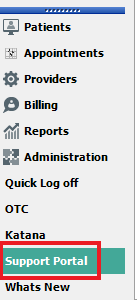
Live chat: Click the 'Support Portal' button in your main toolbar (on left-hand side) within Katana, click the green 'Support' box in bottom right of screen.***This has the fastest response time***
Phone: 909-378-9514
Email: support@coactionsoft.com
Business hours: Monday-Friday, 8:00am-6:00pm CST
Comments
0 comments
Article is closed for comments.